Skip to content
    • About
    • About

Steve Cooper's Personal Blog

  • The pleasure of single-tasking

    February 8th, 2008

    _Over Christmas, I spent six and a half hours driving from York to
    Pembrokeshire, to stay with Clare’s parents. What should have been a
    hellish drive was significantly more pleasant than expected. I’m going
    to talk about why, and make a wider point about life hacks._

    Long-distance driving, especially somewhere you’ve never been before,
    can often be nasty. You have to juggle several things at once —
    planning the route, controlling the car, talking to your passengers,
    etc — and you have time pressure, too. For me, this means stress.

    Two things, I think, made the journey much more pleasant;

    1. I drove an automatic,
    2. I used GPS to navigate.

    This offloaded several tasks from my brain; I no longer had to plan a
    route; everything was handed to me in simple-to-follow
    left/right/straight on choices, and if I made a mistake (which I did a
    couple of times) the GPS just routed round it, giving me a new route
    which got me there.

    The automatic gearbox also made things easier. That part of my brain
    that would normally be making sure I was in the right gear was no
    longer occupied.

    Life was simpler, so life was sweeter.

    Joel, of the [‘Joel on Software’][jos] site, uses the analogy of
    automatic transmissions when he talks about some [benefits for
    programmers][bfp] (scroll to ‘Automatic Transmission Wins
    the Day’). The wider point really is that freeing up your mind from
    one type of detail is like juggling with one fewer ball; it’s much,
    much easier.

    [jos]: http://www.joelonsoftware.com/
    [bfp]: http://www.joelonsoftware.com/articles/APIWar.html

    So this is my wider point; anything fully automatic (I mean really and
    truly don’t-make-me-think automatic) makes your life less stressful.

    The flipside, of course, is control. You always sacrifice a little
    control to the system. You lose precise throttle control in an
    automatic car. You lose control of exactly what stocks you own if you
    buy an index-tracker ISA.

    I think this scares people, but really shouldn’t — this level of
    detail will probably tire you, stress you, and give very little
    benefit over the automatic method.

    I’ll finish with a fantastic quote from [Alfred North Whitehead][anw],
    co- author of the [Principia Mathematica][pm];

    [anw]: http://en.wikipedia.org/wiki/Alfred_North_Whitehead
    [pm]: http://en.wikipedia.org/wiki/Principia_Mathematica

    > It is a profoundly erroneous truism, repeated by all copy books and
    > by eminent people when they are making speeches, that we should
    > cultivate the habit of thinking of what we are doing. The precise
    > opposite is the case. Civilization advances by extending the number of
    > important operations which we can perform without thinking about them.
    > Operations of thought are like calvary charges in a battle–they are
    > strictly limited in number, they require fresh horses, and must only
    > be made at decisive moments.
  • It’s all text! — Firefox Add-on.

    February 6th, 2008

    I’ve just discovered [‘It’s all text!’][iat], a firefox add-on
    that makes it easier to edit text on the web.

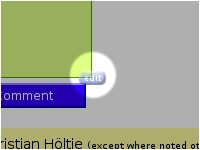
    It’s a pretty simple idea; any textareas (those boxes used for
    composing email, writing forum posts, editing wikis, etc) get a little
    button;

    It’s All Text Screenshot.

    click the button and it’ll let you edit the same text in a
    [proper text editor][st]. When you save the file or close the editor,
    it copies all the text back into the web page.

    [st]: http://www.sublimetext.com
    [iat]: https://addons.mozilla.org/en-US/firefox/addon/4125

    All of this means it’s a lot easier to edit text on the web;
    especially useful for emails and, well, blog posts. ;)

  • Sublime Text Editor Review

    January 28th, 2008

    I’ve just bought a copy of [sublime text][st], a very pretty text editor for Windows. I’m a bit of text editor geek, but I think it’s justified, with the amount of time I spend typing. Between coding and writing fiction, I spend hours and hours a day typing, so a good text editor is as important as a comfy chair, a good monitor, or a cup of tea. It’s just not civilised without.

    sublime text screenshot

    If you spend much time writing text, you may want to have a look. I’m using mine for both programming code, and for fiction.

    These things make it well worth it, in my opinion;

    1. **It’s gorgeous.** _Text Editing shouldn’t feel this good_, says the website, and it’s absolutely right. The colour schemes are lovely, especially _Chocolate Box_, which is shown on the screenshot. If simple text editors like [Notepad][] feel like using a bic biro, and [emacs][] and [vi][] feel like using a technical pencil, [sublime text][st] feels like using a fountain pen.

    2. **It’s functional.** As a programmer, you expect the ability to do serious things to your text. Sublime comes bundled with syntax highlighting for many languages, a python plugin system, a build system, it’s own macro language, [regex][] searching, snippets, sorting… there’s lots here. The ability to write python programs means that it’s going to be possible to write, well, absolutely anything you need. And you don’t have to do it in [emacs lisp][elisp]

    3. **The support is amazing.** It’s written by Jon Skinner, an Australian who left his job at [Google][gg] to write the editor. I wrote him an email yesterday suggesting a feature. Twelve hours later, he’s written the code and put it into the next beta. Twelve hours. And the reply email was chock-full of details he didn’t need to include, and an apology about the tardyness of the reply.

    4. **Full-screen mode;** It has a full-screen mode that lets you blow the window up to occupy every available pixel, which makes it great for writing without distraction. If you’ve looked at rudimentary full-screen editors like [WriteRoom][wr], you’ll know the idea; replace your cluttered desktop with a single text entry window. Sublime Text does this, but still has the advanced functionality of a heavyweight text editor.

    5. **It’s only just begun.** The [current version][download] is 1.01, and already it’s stuffed with goodies.

    Anyway. Enough. [Go get it][download].

    [download]: http://www.sublimetext.com/download
    [elisp]: http://www.gnu.org/software/emacs/elisp-manual/html_mono/elisp.html
    [regex]: http://en.wikipedia.org/wiki/Regular_expression
    [wr]: http://hogbaysoftware.com/products/writeroom
    [notepad]: http://en.wikipedia.org/wiki/Notepad
    [vi]: http://en.wikipedia.org/wiki/Vi
    [emacs]: http://en.wikipedia.org/wiki/Emacs
    [st]: http://www.sublimetext.com/
    [gg]: http://www.google.com/

    Update: Here’s a copy of my enhanced Markdown package, which I use to write prose: [Download link](http://www.stevecooper.org/documents/Markdown-Enhanced.zip) — unzip it to your Packages folder. In the file `Markdown – Enhanced.sublime-options`, the first line describes the extensions which will open and use this format. Change it to change the file types (.txt, .fiction, etc) which will use this package.

  • LaTeX build server in Ruby

    January 23rd, 2008

    So — I’ve been writing functional specs at work in [LaTeX](http://www.latex-project.org/), a system for writing documents in a code-y markup language. Seems to fit nicely with being in a programmer headspace. The only thing, really, is that you have to compile your document. A bit of a ballache. But — I’ve also been learning [Ruby](http://www.ruby-lang.org/en/), and found it easy to knock up a program that sits patiently waiting for you to save your `.tex` source file, then recompiles it in the background.

    So, if you want to use it, here’s how it works;

    1. modify the script below to point to your own latex distribution and source file.
    2. run the script to start the ‘build server’
    3. open your `.tex` file, make a change, and save it.
    4. watch your ruby program spring to life and compile to a `.dvi` file
    5. Open that `.dvi` file in a viewer; I’m using `yap`.
    6. make more changes to your `.tex` file. Every time you save it, the .dvi file will be updated, and `yap` will reload it, giving you instant feedback on your changes. It’s just like a wysiwyg editor! almost!

    enjoy;

    #
    # LaTeX build server!
    #
    # Steve Cooper
    #

    file = “c:\documents and settings\steve\Desktop\bulk-activation-specification.tex”

    cmd = “”C:\Program Files (x86)\MiKTeX 2.7\miktex\bin\latex.exe” –interaction=nonstopmode “” + file + “””
    print “Compilation command:n #{ cmd }nn”

    class String
    def mtime
    File.new(self).mtime
    end
    end

    lastmtime = file.mtime

    while true
    currentTime = file.mtime
    if (currentTime > lastmtime) then
    print “file modified at ” + currentTime.to_s
    lastmtime = currentTime
    print “Compiling ” + file + “n”
    system cmd
    end
    print “. ”
    sleep 1
    end

  • lisp, the beautiful hydra

    January 21st, 2008

    I’m currently learning the programming language, [Lisp][]. If you’re not a programmer, you may wish to simply ignore this post…

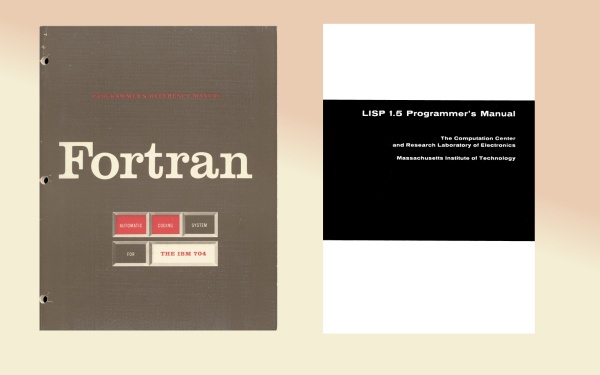
    Lisp doesn’t have the mindshare it deserves. At fifty, it is the second-oldest programming language in the world, after [Fortran][]. I’m starting to see the whole history of programming as a struggle between the elder brother, Fortran, and the younger sister, Lisp.

    [Lisp]: http://en.wikipedia.org/wiki/Lisp_programming_language
    [Fortran]: http://en.wikipedia.org/wiki/Fortran

    Fortran Vs Lisp

    Programming is, at it’s core, an attempt to write down the solution to a problem so precisely that a mechanical device can perform the solution. We start with our own ideas, then use the program and a compiler to give us machine instructions;

    > ideas -> program -> machine instructions

    There are two approaches; one is to find better ways to describe machine instructions, which is what FORTRAN does. The other is to find better ways to describe ideas, which is what Lisp does. These two languages established for us an axis; Almost every programming language thereafter fits somewhere in between these two giants.

    So far, my impression is that lisp is an excellent language, let down by it’s awful libraries and tools; compared to Ruby, Python, Java, or C#, it just doesn’t have the libraries, and getting extant libraries installed is a dog. Worse, there is no canonical implementation, which means that your code may or may not work on someone else’s lisp; even worse news for libraries. It’s a pity, because the language itself seems beautiful and powerful. Meh.

  • Object-oriented vs class-oriented programming

    January 13th, 2008

    In his well-reasoned blog post, [chuck hoffman argues][ch] that what are normally called object-oriented programming languages should probably more rightly be called class-oriented languages. The distinction hopefully becomes clear when you consider this example.

    [ch]: http://nothinghappens.net/?p=214

    You are modelling people, and you want to create a person type. You should be able to strike up a conversation, so we want a ‘greet’ method for each. Our people (Alice, Bert, Charlie, and Dennis) all respond differently;

    – Alice responds to a greeting with “Hi!”, or a surly “what!?” if she hasn’t had her morning coffee.
    – Bert responds with either “don’t bother me, I’m walking Spot” or “what can I do for you?”, depending on whether he is walking his dog.
    – Charlie responds with either “good morning”, “good afternoon”, or “good evening”, depending on the time of day.
    – Dennis responds with “Hello, world!”

    Now, in C#, that’s really tricky. Each person uses a different function to answer your greeting. But in C#, the Person class can only have one implementation. You could munge them all together;

    class Person
    {
    string Greet()
    {
    if (isBert && isWalkingSpot) {return “don’t bother me, I’m walking Spot”; }
    else if (isAlice && !hasHadCoffee) { return “what!?”; }
    … etc
    }
    }

    But that is monstrous. You could create subclasses;

    class Dennis: Person
    {
    public override string Greet() { return “Hello, World!”; }
    }

    But this isn’t a class of thing; Dennis is singular. There’s not a whole class of Dennises, just a single solitary one.

    What you really want to be able to do is something like this; (excuse the made-up syntax)

    Person Alice = new Person();
    Alice.HasCoffee = false;
    Alice.Greet = { (HasCoffee ? “Hi!” : “what!?”) }

    Person Dennis = new Person();
    Dennis.Greet = { “Hello, World” };

    That’s what an object-oriented, rather than a class-oriented, version of c# might look like.

  • new blog — remninder

    January 11th, 2008

    Hi, All. If you missed it the first time — Clare and I are both writing to new blogs. They are available via livejournal, though — befriend [info] stevecooperorg and [info] ideapit.

    the original blogs are at http://www.stevecooper.org and http://ideapit.wordpress.com/. Rss feed can be found at http://www.stevecooper.org/feed and http://ideapit.wordpress.com/feed. PS: befriend [info] stevecooperorg and [info] ideapit now!

  • Power-assisted robot suits

    January 10th, 2008

    Right. The future is officially now;

    >As Japan’s dwindling ranks of farmers grow old, scientists are developing new ways to lighten their physical load and keep them productive. At the Tokyo University of Agriculture and Technology, a research team led by professor Shigeki Toyama has developed a wearable power-assist robot suit designed to boost the strength of farmers working in the field.

    from [pink tentatle](http://www.pinktentacle.com/2008/01/power-assist-robot-suit-for-farmers/)

  • First Fiction Sale

    January 7th, 2008

    I’ve made my first fiction sale! [Hub Magazine](http://www.hub-mag.co.uk) have publishing my 600-word story, [Brainfish](http://www.hub-mag.co.uk/?p=24) [[pdf)](http://www.hub-mag.co.uk/images/hub_40.pdf)

  • C# Coding; Missing Functions on IEnumerable

    January 3rd, 2008

    Me old mucker Spencer pointed out today that C# 3’s newly-refurbished IEnumerable<T> class lacks some basic features. Specifically, it lacks equivalents for the classic Map, Filter, and Reduce functions seen in functional languages. The first two are familiar as List<T>.ConvertAll, and List<T>.FindAll. The third isn’t so familiar, but is still very useful. I’ve also thrown in an implementation of ForEach for free.

    [Ben Hall](http://blog.benhall.me.uk/2007/08/converting-ienumerable-to-ienumerable.html) points out that it’s possible to extend the class, but I wanted to get a full, commented implementation of the three functions. Feel free to use this code in your own work.

    So, here they are;

    IEnumerableExtras
    ——

    public static class IEnumerableExtras
    {
    ///

    /// Do ‘action’ to every item in the list.
    ///

    /// The source type
    /// the IEnum
    /// the action to perform.
    public static void ForEach
    (this IEnumerable list, Action action)
    {
    foreach (T item in list) { action(item); }
    }

    ///

    /// Convert every item in the list using the converter
    /// function
    ///

    /// The source type
    /// The destination type
    /// the list to convert
    /// a function to convert
    /// one item to another.
    /// all items in the list converted by
    /// the converter function.
    public static IEnumerable Map
    (this IEnumerable list, Converter converter)
    {
    foreach (T item in list)
    {
    yield return converter(item);
    }
    }

    ///

    /// Returns a new enumerator containing only those
    /// elements which return true from ‘condition’.
    ///

    /// The source type
    /// the list to filter
    /// the ‘keep in’ condition
    /// the items for which condition(item)
    /// is true
    public static IEnumerable Filter
    (this IEnumerable list, Predicate condition)
    {
    foreach (T item in list)
    {
    if (condition(item))
    {
    yield return item;
    }
    }
    }

    ///

    /// Reduces a list of items to a single item; can be
    /// used to, say, sum a list of integers, or
    /// concatenate a number of strings, or find the
    /// maximum value in a collection.
    ///

    ///
    ///
    ///
    ///
    public static T Reduce
    (this IEnumerable list, Func reducer)
    {
    IEnumerator enumerator = list.GetEnumerator();
    if (enumerator.MoveNext())
    {
    // we have some items; start combining them together.
    T aggregator = enumerator.Current;
    while (enumerator.MoveNext())
    {
    aggregator = reducer(aggregator,
    enumerator.Current);
    }
    return aggregator;
    }
    else
    {
    // there was nothing in the list; return default.
    return default(T);
    }
    }
    }

    And here’s an **example program**;

    static void Main(string[] args)
    {
    IEnumerable maybeDoubles =
    new List {1, 2, null, 3, 4, null, null, null};

    // remove all the empty values: [1,2,3,4]
    IEnumerable noNulls = maybeDoubles.Filter(x => x.HasValue);

    // convert Nullable to non-nullable: >[1,2,3,4]
    IEnumerable notNullable = noNulls.Map(x => x.Value);

    // convert to strings so we can display them. [“1”, “2”, “3”, “4”]
    IEnumerable stringVersions = notNullable.Map(x=>x.ToString());

    // join the strings together with commas “1, 2, 3, 4”
    string displayString = stringVersions.Reduce( (s1, s2) => s1 + “, ” + s2);

    // show us the result;
    Console.WriteLine(displayString);
    Console.ReadLine();
    }

    So there you go. Enjoy.

←Previous Page
1 … 5 6 7 8 9 … 18
Next Page→

Blog at WordPress.com.

Privacy & Cookies: This site uses cookies. By continuing to use this website, you agree to their use.
To find out more, including how to control cookies, see here: Cookie Policy
  • Subscribe Subscribed
    Steve Cooper's Personal Blog

    Have a WordPress.com account? Log in now.

  • Steve Cooper's Personal Blog
    View site in Reader
    Manage subscriptionsSign upLog in
    Report this content
    Collapse this bar